Switzerland
ISR (In-payment Slip with Reference number)
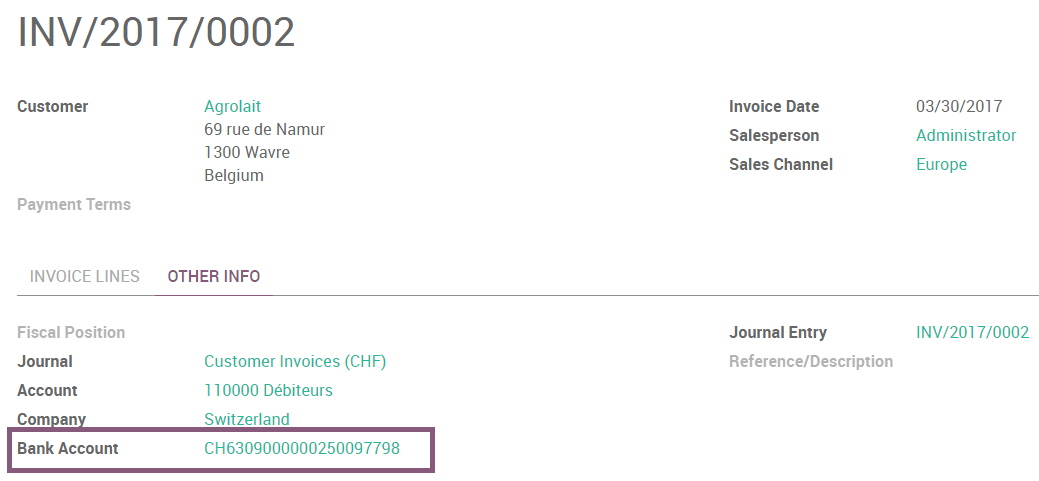
The ISRs are payment slips used in Switzerland. You can print them directly from Odoo. On the customer invoices, there is a new button called Print ISR.

Tip
The button Print ISR only appears there is well a bank account defined on the invoice. You can use CH6309000000250097798 as bank account number and 010391391 as CHF ISR reference.
Then you open a pdf with the ISR.
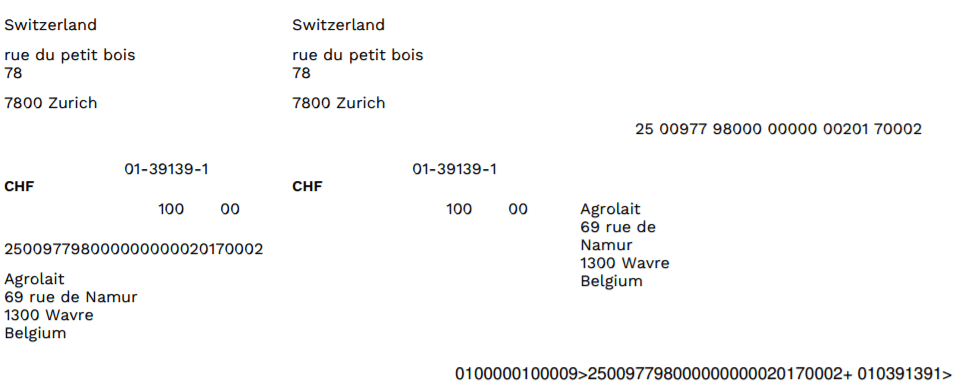
There exists two layouts for ISR: one with, and one without the bank coordinates. To choose which one to use, there is an option to print the bank information on the ISR. To activate it, go in and enable Print bank on ISR:

ISR reference on invoices
To ease the reconciliation process, you can add your ISR reference as Payment Reference on your invoices.
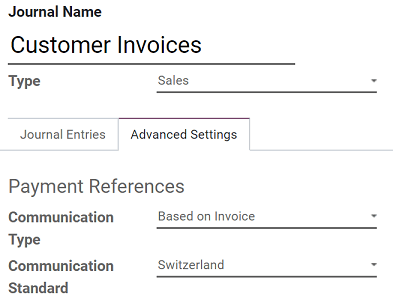
To do so, you need to configure the Journal you usually use to issue invoices. Go to , open the Journal you want to modify (By default, the Journal is named Customer Invoices), click en Edit, and open the Advanced Settings tab. In the Communication Standard field, select Switzerland, and click on Save.
Currency Rate Live Update
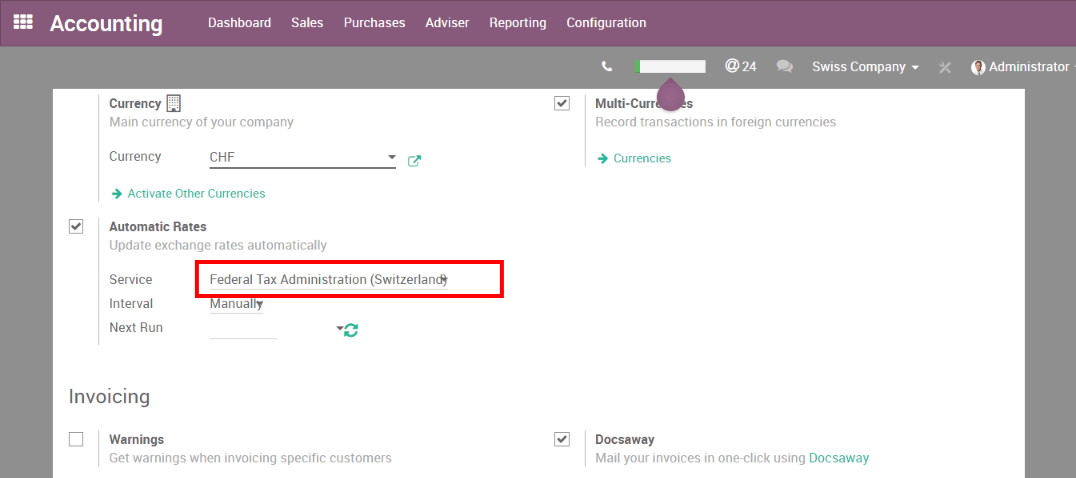
You can update automatically your currencies rates based on the Federal Tax Administration from Switzerland. For this, go in , activate the multi-currencies setting and choose the service you want.
Updated VAT for January 2025
Starting from the 1st January 2025, new increased VAT rates are applied in Switzerland. The normal 8.0% rate switched to 8.1% and the specific rate for the hotel sector switched to 3.8%. Basic needs goods have a reduced rate of 2.6% applied.
ISO 20022
Switzerland uses a specific, localized version of the ISO 20022 XML global standard. To select the appropriate Swiss version for your company, open the Accounting app, and navigate to . Then, open the relevant Bank journal, and in the Outgoing Payments, select Swiss from the SEPA Pain Version field.
Note
The SEPA Module in Odoo covers both SEPA and ISO 20022 payments.
Export XML files
To generate a daily XML payment file for upload to the online banking interface, create a batch payment. The XML file is then displayed in the chatter, where it can be downloaded and submitted to the bank for processing.
By default, the XML files for outgoing payments generated by Odoo use the Swiss-specific PAIN.001.001.03.ch.02 format. If your bank requires the newer PAIN.001.001.09 version, open the Accounting and go to . Open the relevant Bank, and in the Outgoing Payments tab, set the SEPA Pain version field to New generic version (09).
See also